
From component annotation to route stitching: How a close-fitting inspection route is planned
Detailed bridge inspection is often less about getting airborne than following the right path.
A bridge brings decks, sides, towers, stay cables, suspension cables, piers, pier caps and bearings together in three-dimensional space. Each needs different viewing angles and paths. Inaccurate planning can leave gaps, produce unclear photographs or create unsafe clearances. Stable flight alone cannot correct a poorly planned route.
AIFORAIL's bridge route planning software, ARP, makes component-based planning a standard workflow and integrates collision checks, flight simulation and route stitching in one workspace. This article explains its central feature and the problems addressed by its key capabilities.
Core feature: Component-level planning, with routes built around the structure
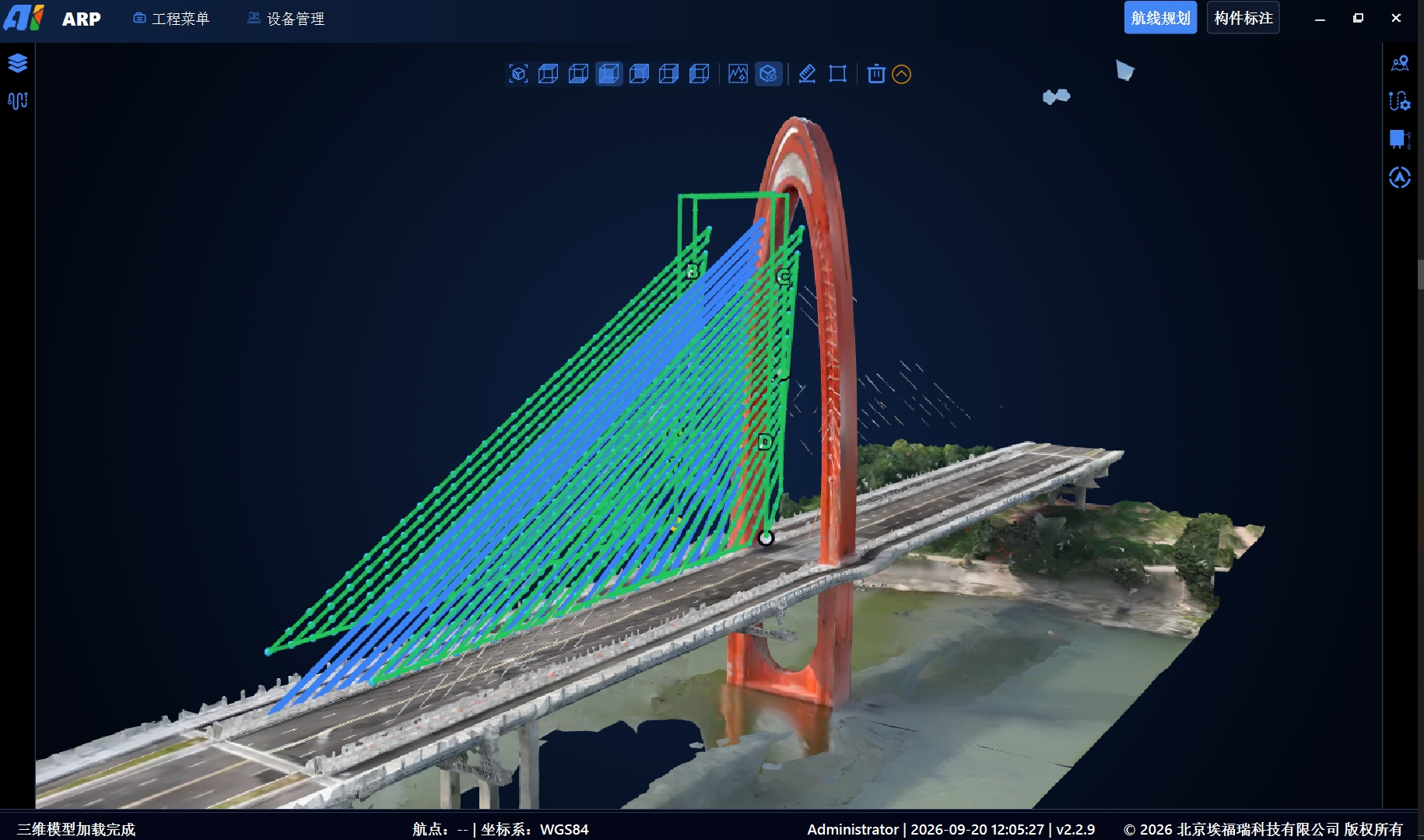
ARP centres on component-based route planning: establish the relationship between components and routes in the 3D model so that every inspection object has an assigned route.
Component annotation is the foundation. Specify the location and dimensions of each component type in the imported model to turn piers, tie beams, pier caps, girders and bearings into selectable, numbered inspection objects that can be used for planning.
Component-level planning has two benefits. First, paths follow the shapes of different bridge types and components: hollow slabs, small box girders, T-girders, large box girders, arch rings, towers, stay cables, main cables, piers, tie beams, pier caps and bearings. Second, annotations can be exported through project interfaces to the Bridge Inspection Platform, supporting associations among images, defects and components and subsequent reporting.
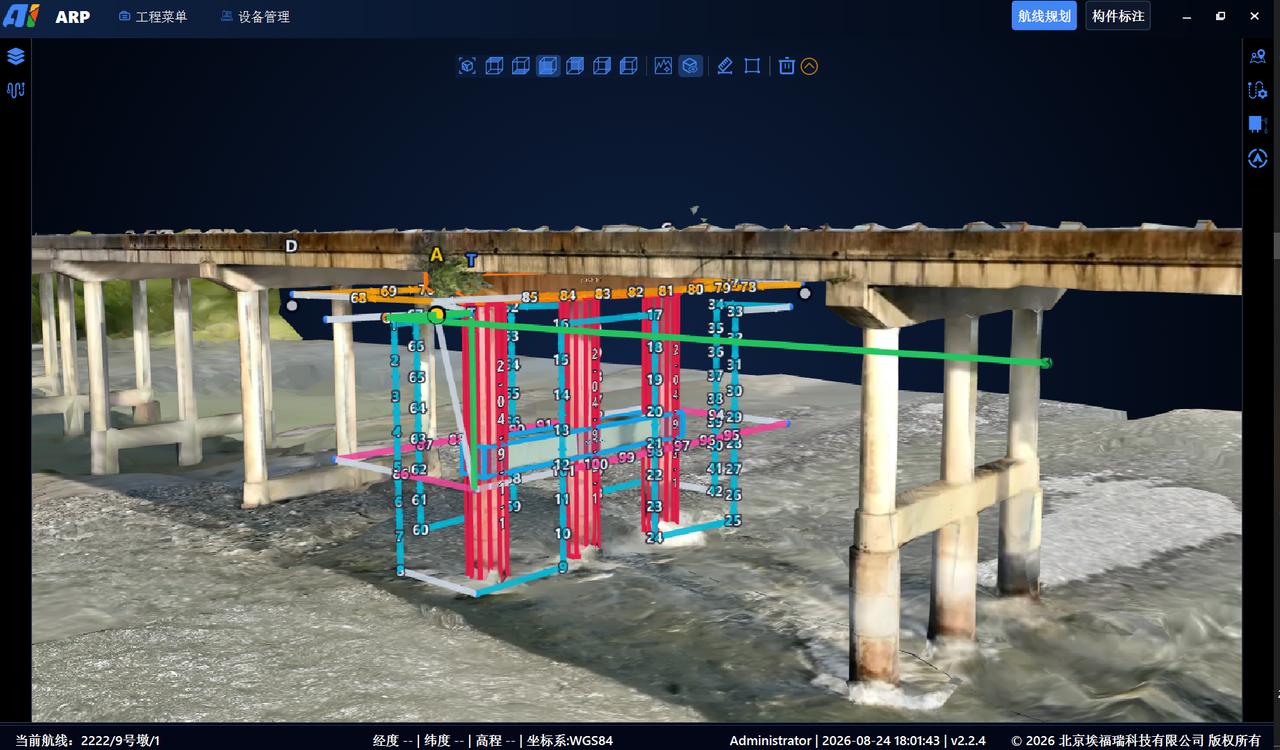
Capability 1: Automatically generate component-based inspection routes
Once components are defined, routes need not be drawn waypoint by waypoint.
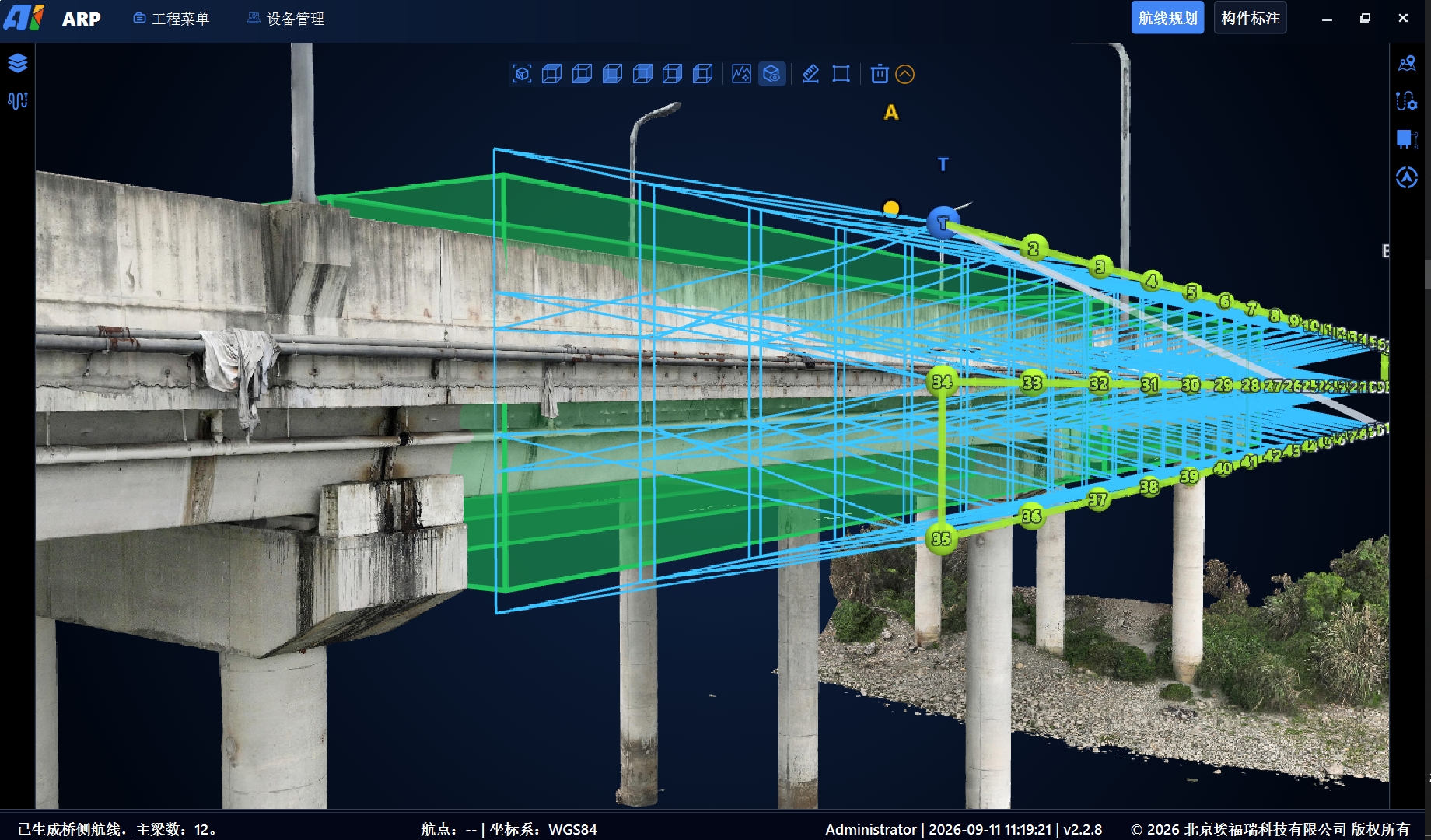
Select one or more components and set inspection distance, image overlap and aircraft type. ARP generates waypoints, paths and capture actions automatically, reducing manual point-by-point planning while keeping the results available for review and adjustment.
Planning is simplified: instead of positioning individual waypoints, teams define components and capture requirements and generate the route in one operation. Their task shifts from drawing paths to setting parameters.
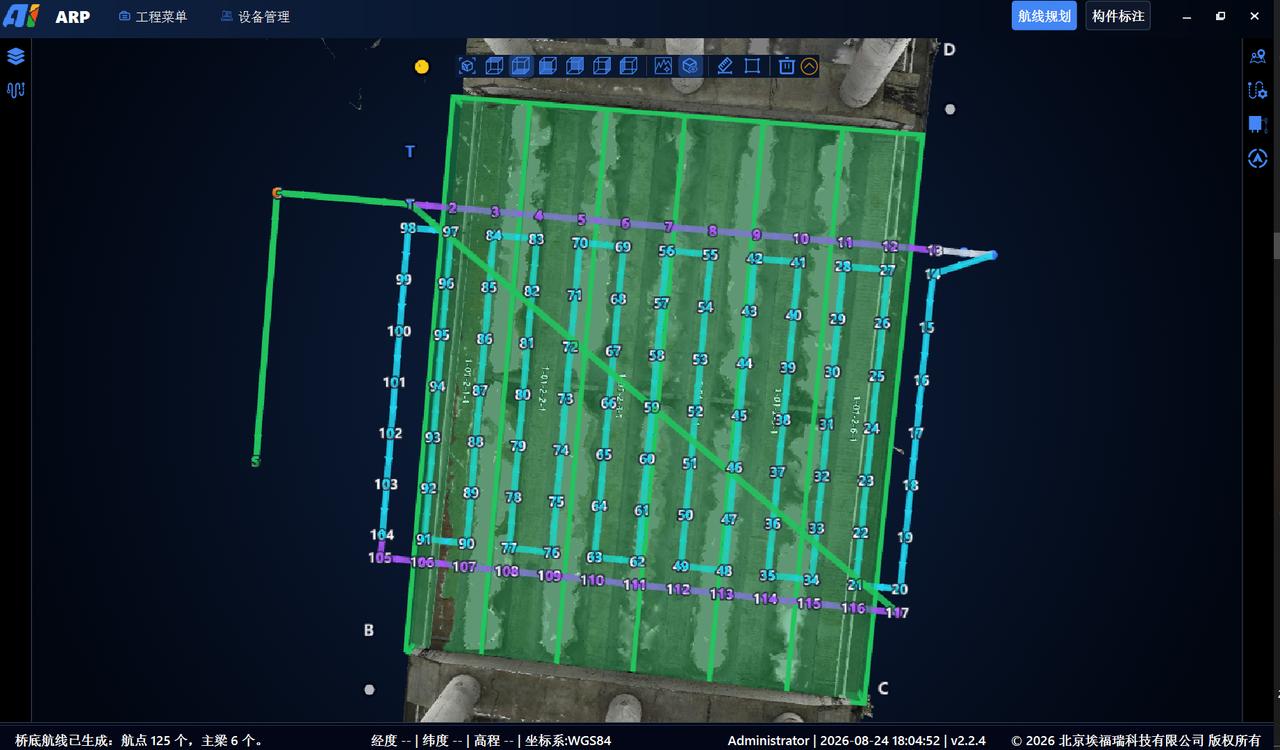
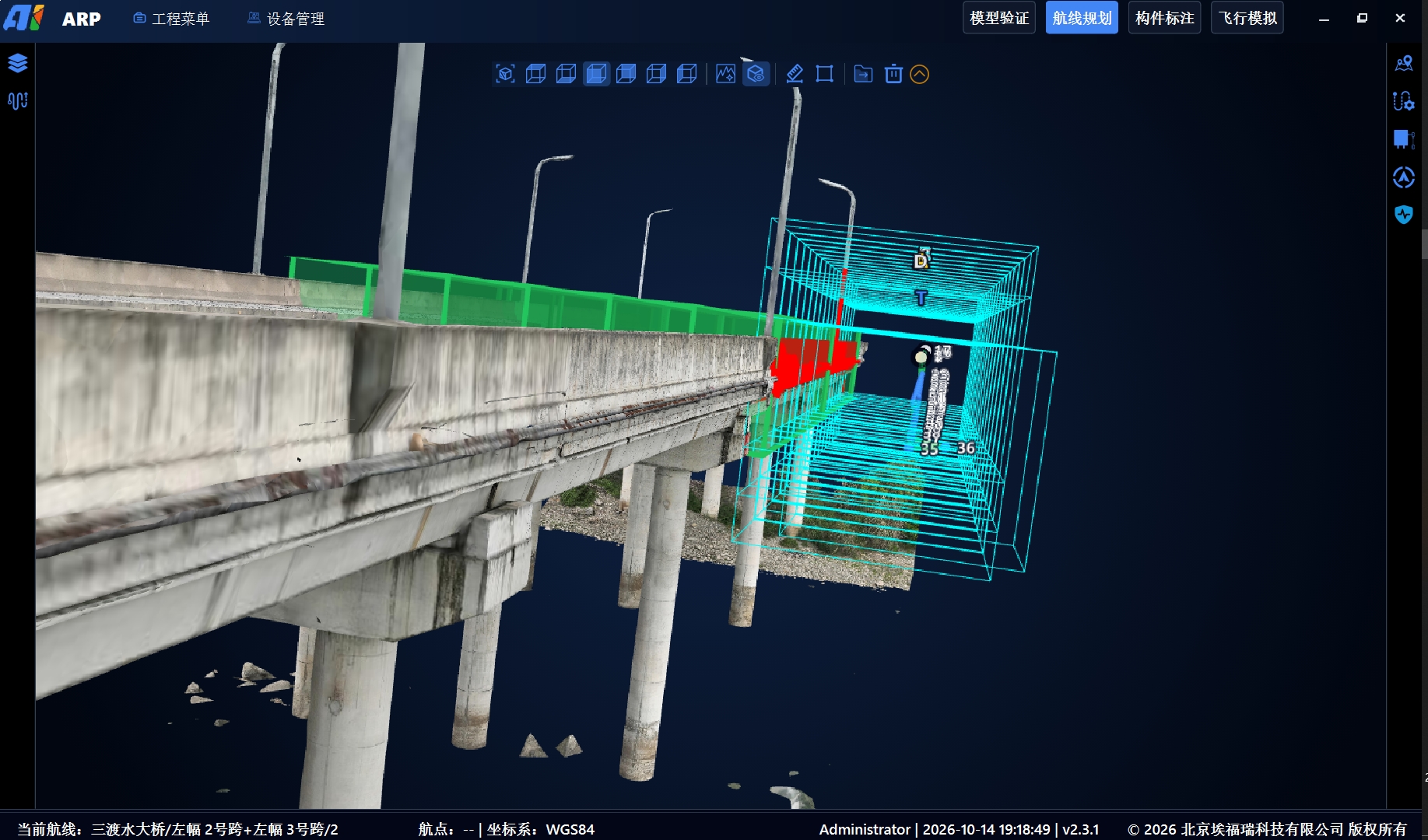
Capability 2: Route collision and clearance checks
Route safety is especially important below a bridge. Complex structures make it difficult to judge collisions or inadequate clearances by eye in three-dimensional space.
Set safety distances above, below, left, right, ahead and behind the aircraft. ARP checks the route against the bridge model and highlights potential collisions or clearance conflicts in red. Checks can run automatically or on demand, and can be repeated after changing parameters or replanning.
Moving risk indications to the planning stage is an important part of ARP's route-safety support.
Checks depend on the 3D model and configured safety distances. They do not replace site obstacle checks or flight risk assessment.
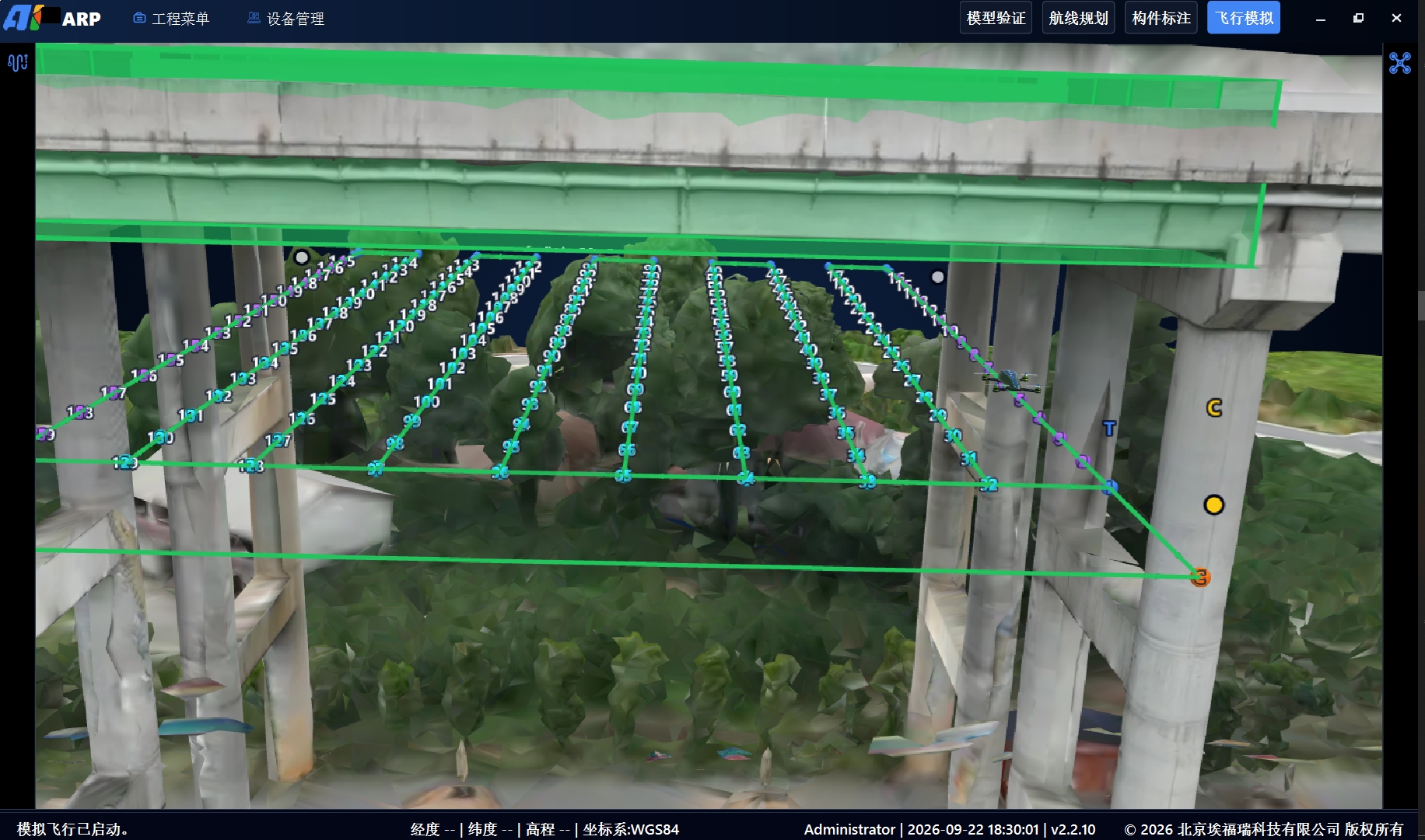
Capability 3: An integrated flight simulator
Completing the route plan need not mean heading straight to the site.
ARP's integrated simulator flies the planned route around the bridge model without leaving the software. Review the path, camera direction and component relationships before fieldwork. First-person view checks coverage, viewing direction and relative distance along the route; free view shows the overall path and possible structural interference from outside.
Simulation can reveal coverage gaps, camera-direction errors and overly close segments before fieldwork. Adjusting them in the office can reduce rework and help pilots familiarise themselves with routes and key waypoints.
Simulation depends on the imported model and planning parameters. It does not replace site surveys, obstacle checks, risk assessments or actual aircraft validation.
Capability 4: Route stitching
Bridge inspection routes are often split among piers, girders and bridge sides. Separate take-offs, landings and task changes for every segment reduce field efficiency.
ARP organises segments for the same aircraft type into a continuous mission in working order and handles their connections. When endurance, payload and site conditions allow, several areas can be inspected in one sortie, reducing repeated take-offs, landings and mission changes.
Review new or changed connections after stitching, and plan around remaining endurance, return requirements and site obstacles. Stitching does not imply that an entire bridge can be inspected in a single flight.
From planning to execution: Standard KML output for DJI Pilot
Ease of execution determines whether a planning tool fits real operating workflows.
ARP exports standard KML routes for aircraft including DJI M4 and M400. For exposed bridge superstructures, import the KML into DJI Pilot to execute with existing aircraft, without additional hardware. ARP provides a unified route planning workspace for different bridge components.
Below the bridge, piers, pier caps, tie beams, bearings and girder undersides commonly lack usable GNSS/RTK. Aircraft cannot rely on satellite positioning there, so GNSS-denied positioning requires the INES onboard navigation module.
In closing: Buy ARP independently and start with the superstructure
Although ARP forms part of the bridge inspection system, it can be sold and purchased independently without the complete solution.
Teams that already own DJI drones can procure ARP for detailed bridge-superstructure planning and inspection, exporting KML straight to Pilot for execution, making use of equipment they already own.
Adding INES or an in-house positioning and navigation module extends planning and inspection below the bridge, covering both its upper and lower structures.
Teams using in-house or third-party navigation modules with DJI aircraft, or custom aircraft capable of GNSS-denied under-bridge inspection, can contact us about ARP integration to add detailed whole-bridge route planning and inspection capabilities.
For details about component-level planning, ARP's key features or independent procurement, visit www.aiforail.com and contact AIFORAIL.