Project-level Organization
Archive models, components, inspection records, images, defects and reports around the same bridge project.
 Contact Us ↗
For bridge-inspection data management and delivery, the platform connects missions, AI-assisted screening, component mapping, manual review and report generation in one project workflow.
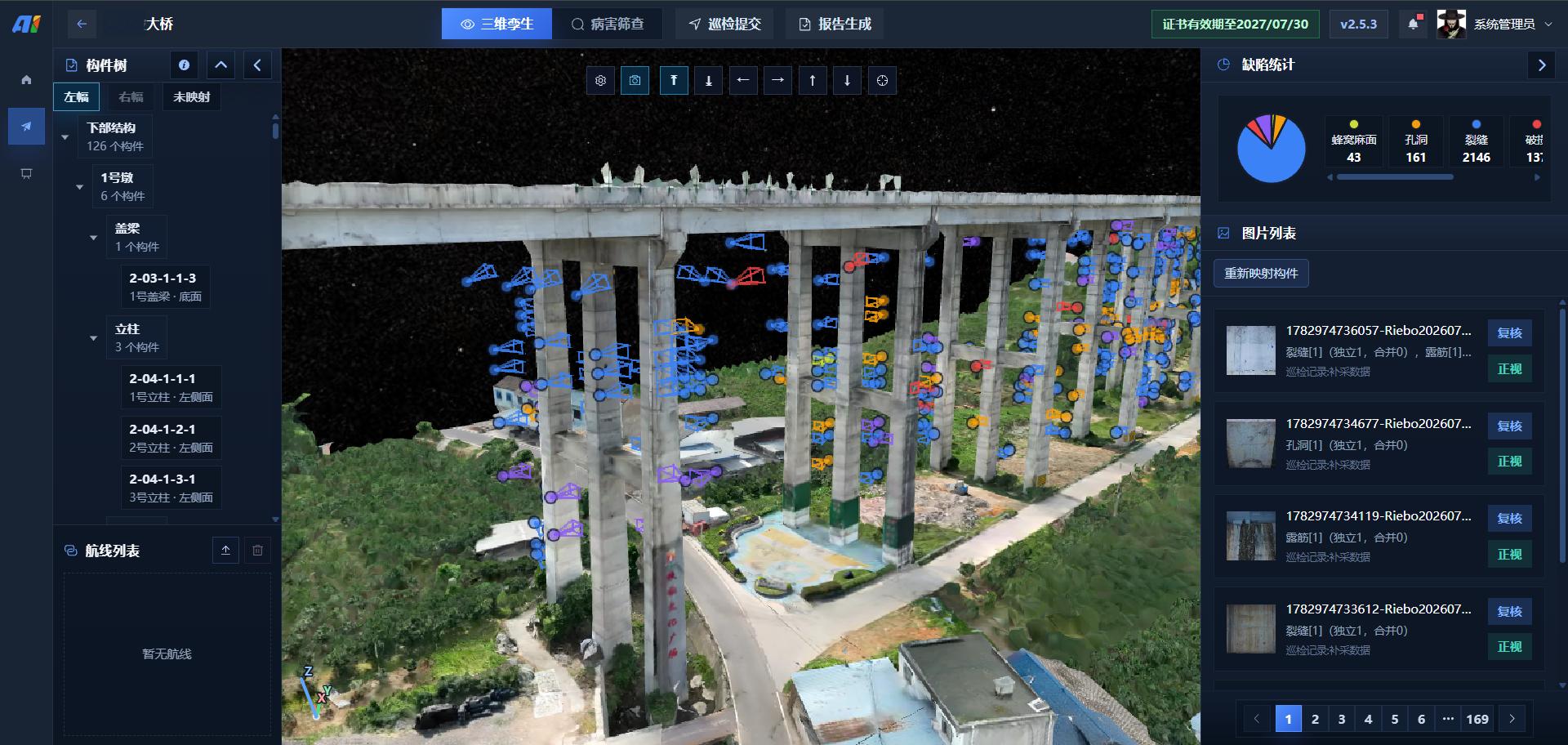
The platform uses each bridge project as a management unit, organizing the 3D model, components, inspection records, images, suspected defects and reports. AI assists screening, while professionals verify, edit and archive results.
Archive models, components, inspection records, images, defects and reports around the same bridge project.
Associate discrete images and suspected defects with specific components for localization, filtering and reinspection.
AI assists screening; professionals confirm, revise and approve final results.
Organize reviewed results by time, component, defect and severity to create project reports.
The platform does not replace professional bridge assessment. It turns data processing, spatial association and result organization into an executable workflow.
Import the 3D Tiles model, component tree and project information into one data container.
Record date, pilot, drone, camera and target defect types, then upload JPG / PNG imagery.
Schedule computing resources for image deduplication, suspected-defect detection, size extraction and result merging.
Use camera parameters, position and pose to associate images and suspected defects with bridge components.
Filter data for verification by mission, component, defect type, status and severity.
Verify and revise defect information across 3D, original and historical imagery.
Compile reviewed results into a Word report with distribution graphics, component tables and illustrated defect details.
A project links its 3D model, component tree and base data. Each inspection records date, pilot, drone and camera, and selects defect types and uploaded images.
The platform loads a 3D Tiles model and combines its component tree, camera poses and suspected defects to build spatial links from bridge structure to field imagery.
Configure project-specific defect types such as cracks, corrosion and spalling. AI assists image screening while preserving detection and review status.
Filter by mission, capture time, component, detection status, review status, defect type and severity.
Batch download, review and reinference within the project workflow reduce repetitive work.
Filter minor results by defect-size thresholds so reviewers can focus on relevant data.
AI recognition and sizing assist screening. Final defect category, severity and treatment conclusions require professional review against project requirements.
The platform can configure project-specific AI models to assist screening five types of visible defects in high-resolution inspection imagery, with suspected findings passed to professionals for review.
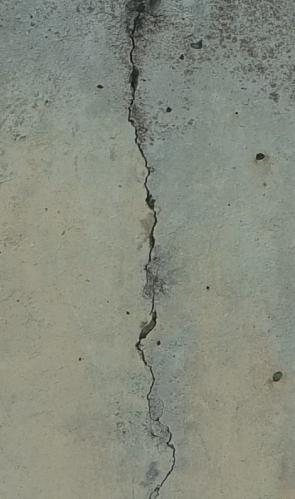 01
01Assists in locating linear, branching or network cracking on concrete surfaces and retains suspected outlines and dimensions for professional review.
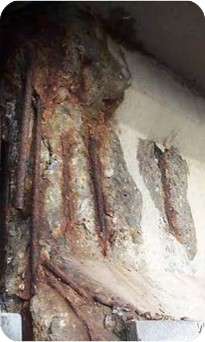 02
02Assists in screening visible rust spots, staining and corroded areas on components so reviewers can assess the affected area against the source image.
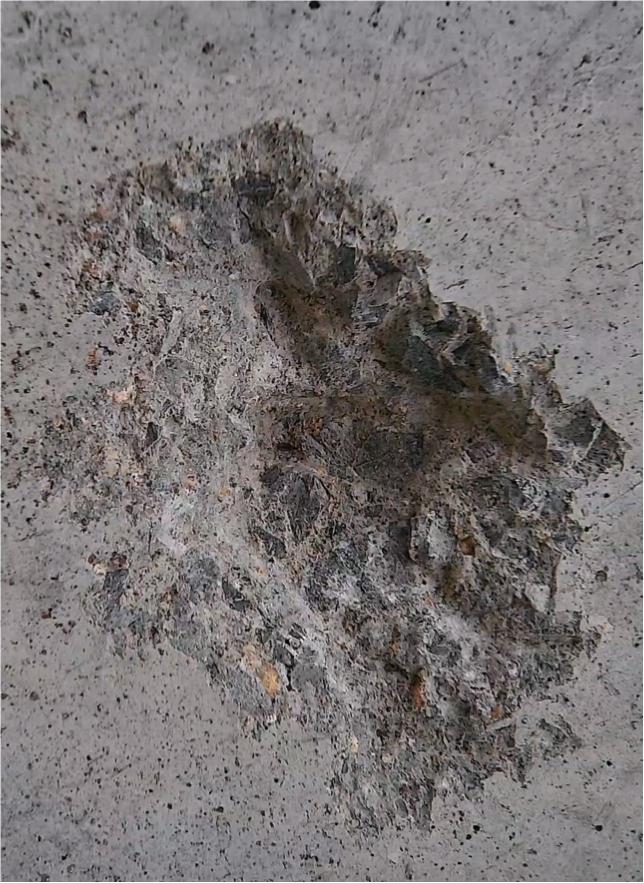 03
03Assists in identifying surface spalling, edge damage and local material loss in concrete, providing evidence for localization and reinspection.
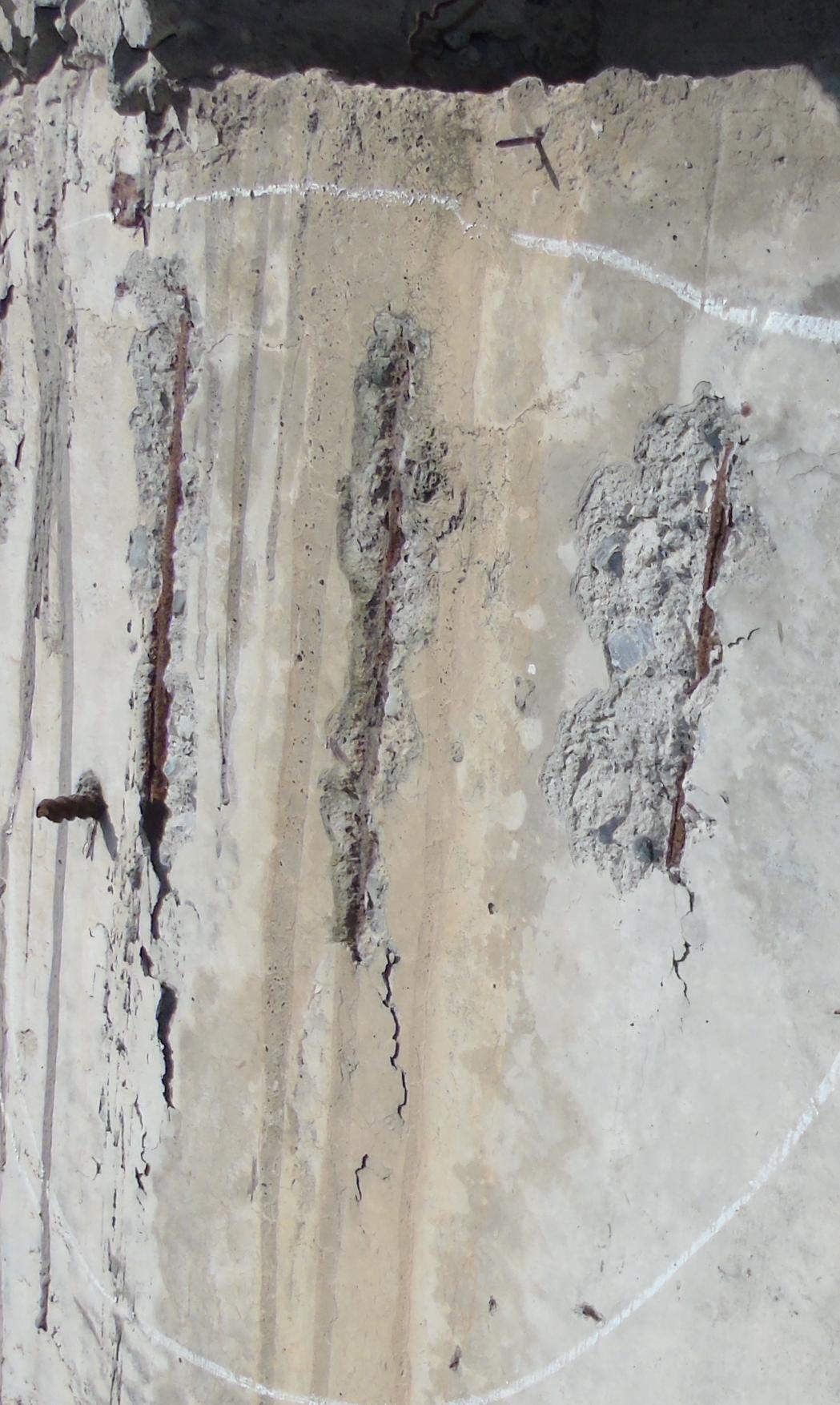 04
04Assists in finding visible reinforcement where the concrete cover has been lost and links suspected findings to the corresponding component and inspection image.
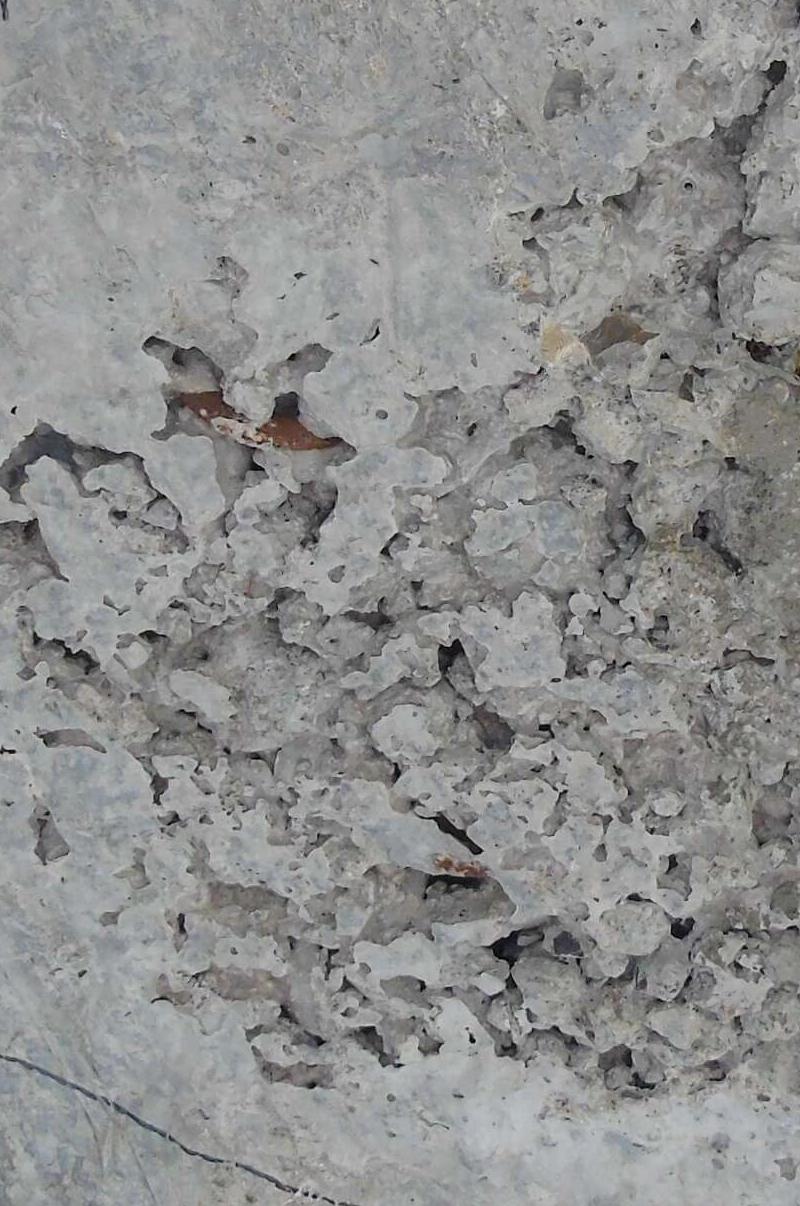 05
05Assists in screening visible dense voids, pits and rough or uneven areas on concrete surfaces for further professional confirmation.
The images illustrate supported defect categories and do not represent detection results or severity. AI output is treated as suspected-defect evidence; final conclusions require professional review of source imagery, component conditions and project criteria.
View the component and 3D location on the left, verify the original image and defect outline in the center, and retrieve historical imagery on the right. Reviewers can edit type, outline, size, severity and result status.
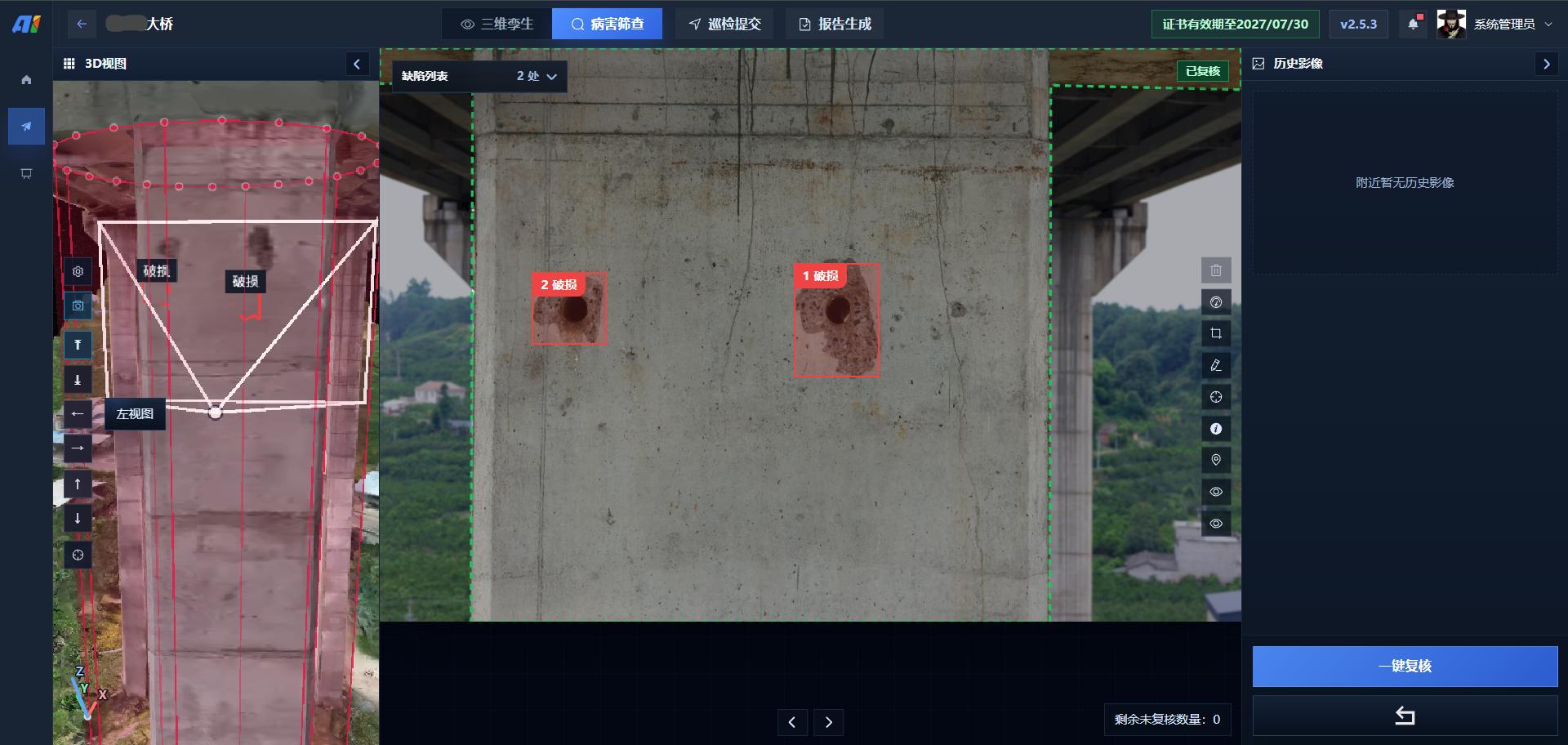
Compile defects using project templates and filters into a Word inspection report containing distributions, component details and illustrated records.
Show reviewed defect distribution by bridge or span.
Organize component and defect information for localization and reinspection.
Combine 3D screenshots, defect crops and attributes.
Select or maintain report templates for project delivery requirements.
Functions shown come from current materials and UI examples. Deployment, supported models and file formats, AI defect types, report templates and performance boundaries are subject to project documents and the delivered version.
Generate and review candidate KML missions from models and components.
02 / EXECUTEConnect positioning, flight control and mission actions to execute routes onboard.
03 / MONITORConfigure missions, monitor status and provide pilot intervention.
Organize imagery, defect review, component association and reports.
Configure platform workflows and delivery templates for the bridge type, component system, data volume and result requirements.
Last updated