Staffing by experience
Without continuous data on peaks, passages and queues, staff allocate resources by experience and rely on retrospective video review.
 Contact Us ↗
SIDS reads existing CCTV feeds in parallel and turns them into passenger counts, equipment status and incident records for control-room review and operational analysis.
Without continuous data on peaks, passages and queues, staff allocate resources by experience and rely on retrospective video review.
End-door openings, falls and entrance congestion rely on visual detection; fatigue can delay intervention.
Passengers or patrols often first report faulty feeds, ticket machines or gates. Late detection affects passenger service.
Nearly 400 feeds run continuously, mainly for retrospective evidence, without daily, weekly or monthly flow, alarm and equipment records.
| Stage | Description | Status |
|---|---|---|
| Video sources | Nearly 400 existing camera feeds at entrances, gates, escalators and end doors | Existing, unchanged |
| Core switch | Tap a network connection from CCTV to obtain feeds in parallel | Existing, unchanged |
| Firewall | Isolate detection traffic from the existing network | New |
| Detection server | Run detection services and output flows, status and incidents | New |
| Control-room frontend | Large-screen display, audiovisual alerts and video review | New |
| Location | Workload |
|---|---|
| Equipment-room server | Video ingestion and all detection processes |
| Control-room host | Information aggregation, streaming, web frontend and speakers |
Alerts sound in the control room where duty staff can hear them. The hosts use configurable communication addresses without algorithm changes.
Each detection function runs in a separate multithreaded process to isolate faults. Containerised streaming starts with the system.
Only the firewall, detection server and control-room frontend are added. Existing network topology and cameras remain unchanged.
Identify rainfall, pooled water and indoor leaks to support flood response and passenger guidance.
Flag unexpected openings, count night-work entries and exits, and prompt a clearance check at the agreed time.
Detect falls, oversized luggage and congestion at landings so staff can locate the affected escalator.
Cycle through camera routes and record blank or distorted feeds instead of checking every screen manually.
Flag prolonged lingering near gates, unavailable ticket machines and situations that may require assistance for staff to verify.
Measure regional flows, flag surges and grade platform queues to inform staff deployment.
The six categories and 14 subcategories are enabled as needed. Set areas, triggers and priorities separately for each task.
Cover entrances, gates, escalators, transfer passages, restroom access and platforms. All cameras in the platform queue area contribute to grading against three reference lines.
Count every 10 minutes from 07:00–09:00 and 17:00–19:00, and every 30 minutes off-peak.
Calculate separate weekday and weekend means over the past month. Flag a surge when flow exceeds the applicable mean by 20%.
Export daily, weekly and monthly Excel reports, recording incidents and lingering separately for operational review.
Open the live feed directly from the timestamp, location, category and still image.
Authorised station browsers access four tabs in a 1920×1080 web interface. The demonstration views do not show identifiable passenger footage.
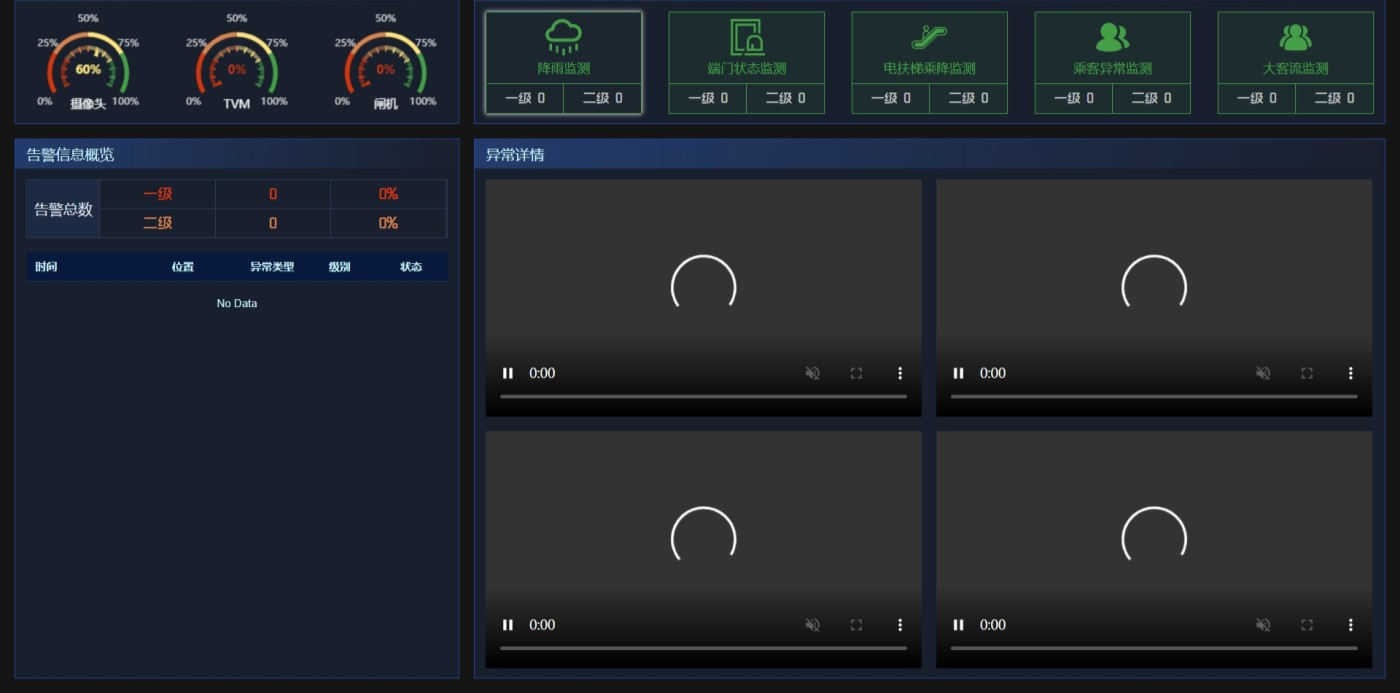
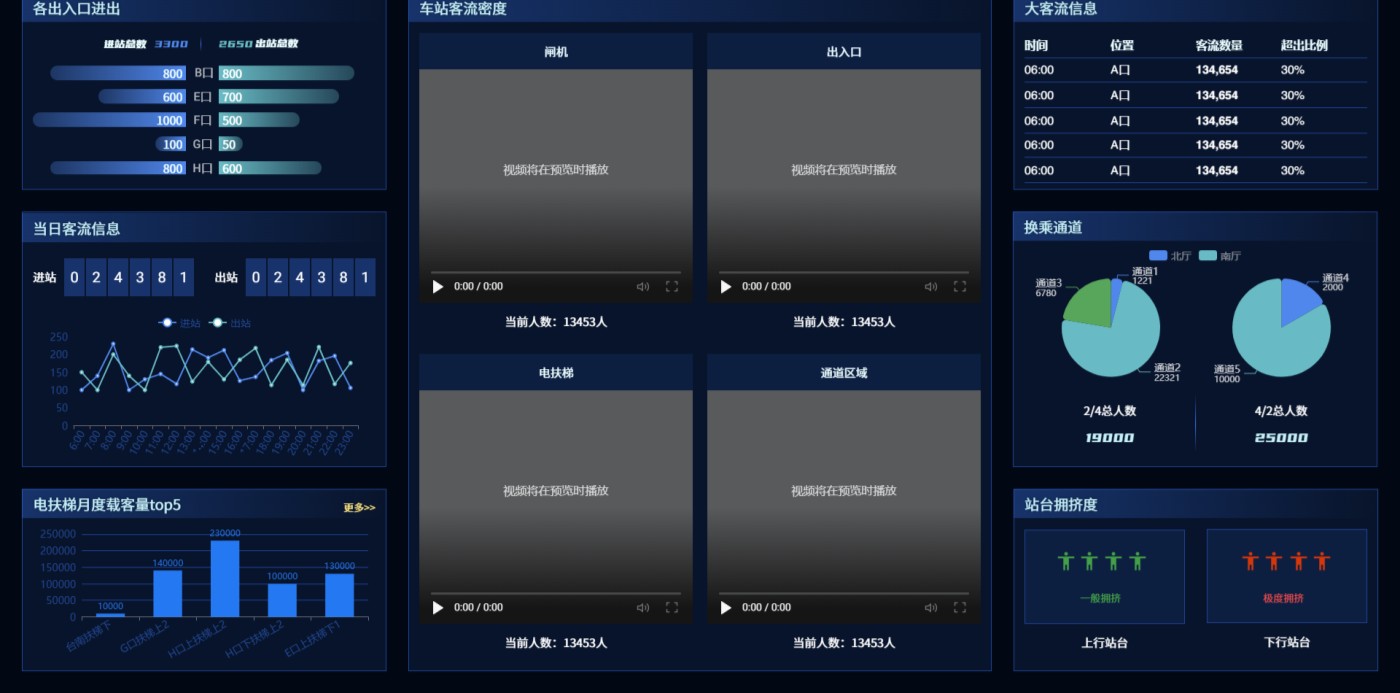
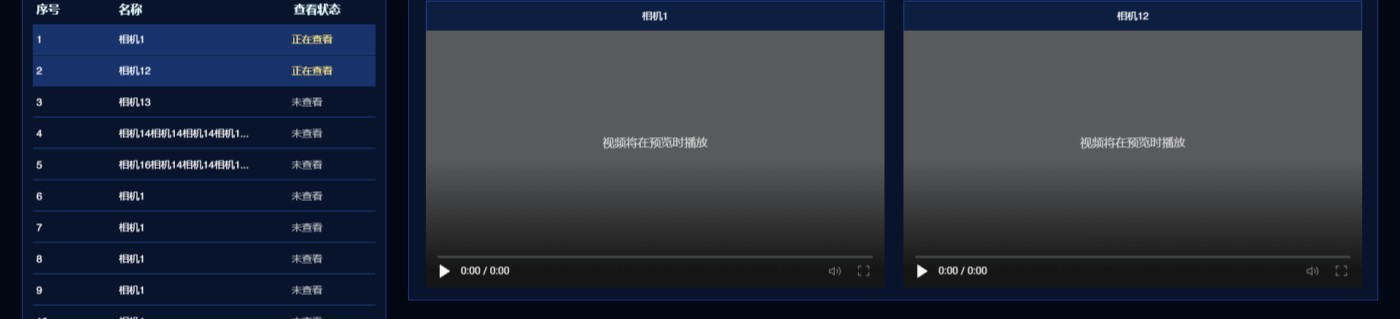
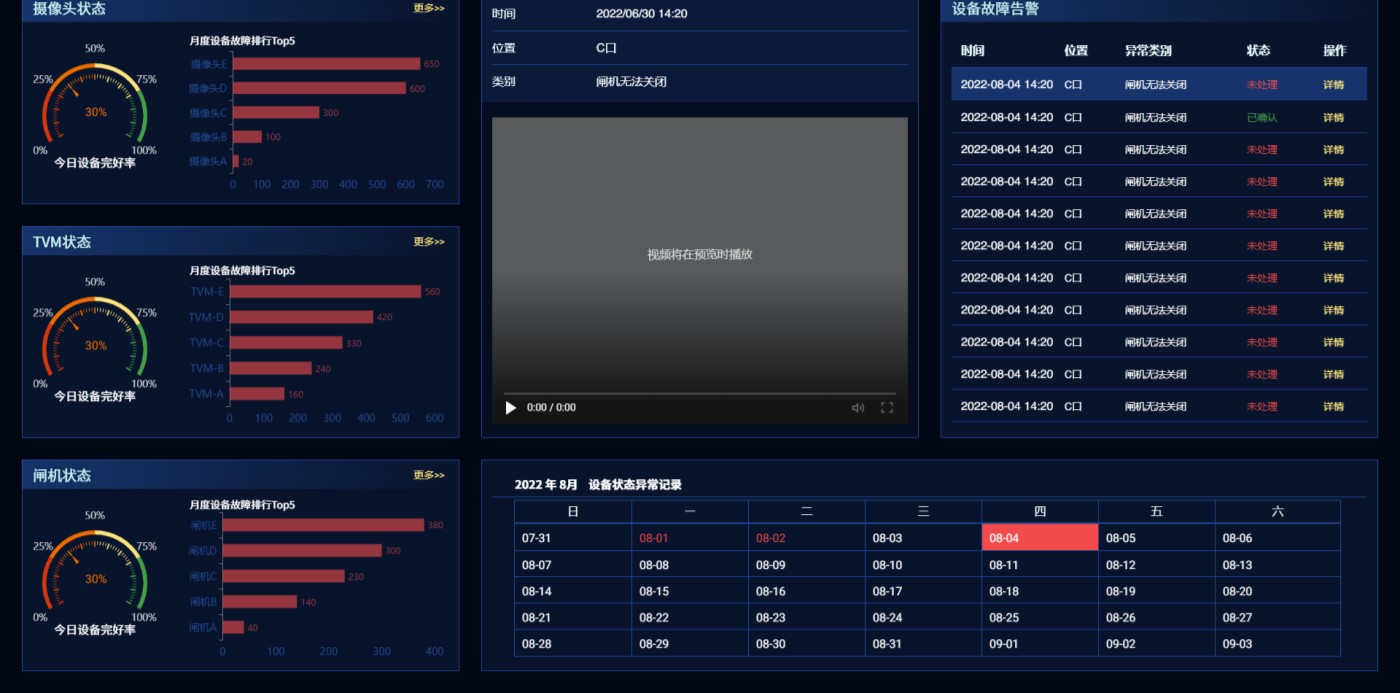
These figures are design and acceptance requirements, not measured site results. Verify enabled functions separately under project acceptance conditions.
A transfer station conducted an initial analysis of nearly 400 feeds. These observations are specific to that station and period.
| Comparison | Finding | Operational implication |
|---|---|---|
| Entrances G and H | G handled about 1.6 times H’s entry and exit traffic; exits predominated in the morning, entries in the afternoon | Prioritise advance deployment of guidance staff at G |
| South and north hall escalators | Traffic peaked at 08:00–10:00; south hall flow was about 6.5 times north hall flow | Station assistance staff in the south hall and shorten maintenance intervals |
| North and south transfer passages | The north passage carried about twice as many people as the south | Advertising space in the north passage has higher commercial value |
Extend station by station: connect feeds, configure scenarios, accumulate records and refine operations.
Last updated